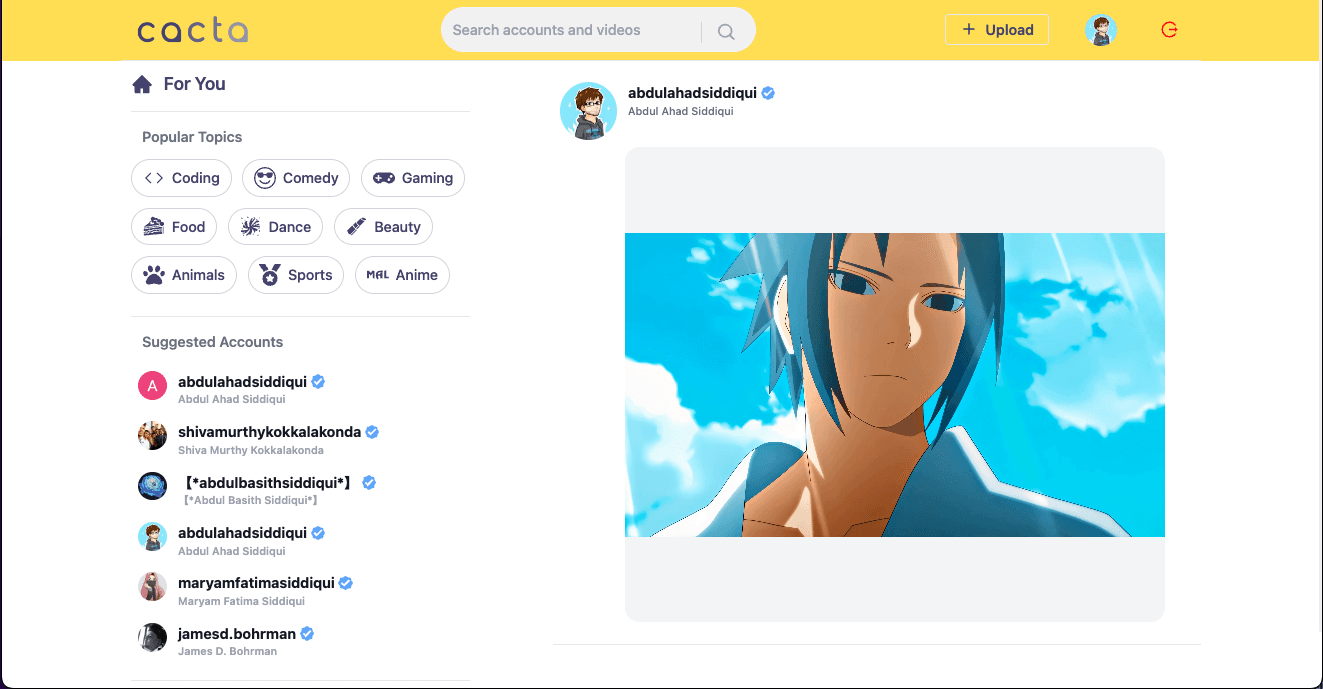
Cacta is a short-video prototype. A signed-in user chooses a video, adds a caption and topic, and publishes it. Other visitors can find the post in a feed or profile, play it, like it, and leave comments.
One published card looks like a single item in the interface. Creating that card actually involves a large media file, a smaller post record, author information, social activity, and temporary playback controls. This walkthrough follows one upload through those parts.
What gets created when a video is published#
The browser first uploads the selected video file to Sanity, the service used here for media and post data. Sanity returns an identifier and a delivery URL for the stored file. The stored file is the media asset: the video bytes plus information such as its file type and location.
Only after that upload succeeds does Cacta create the post. The post contains the caption and topic, points to the video asset, and records the creator. Likes and comments are connected to the post rather than written into the video file.
Keeping the asset and post separate prevents large media bytes from travelling with every feed query. A feed can load captions, creator details, and video URLs as ordinary data; the browser requests the actual video from the asset delivery path when it needs playback.
View diagram source
flowchart TB
    F["Choose a video file"] --> A["Upload and receive an asset ID"]
    A --> P["Create a post with caption, topic, creator, and asset ID"]
    P --> D["Show the post in the feed"]
    P --> V["Open the video detail page"]
    P --> R["Show it on the creator profile"]
    P --> S["Find it by topic or search text"]
If the upload succeeds but the post does not#
Uploading the file before creating the post avoids one broken state: a post cannot point to a video upload that never completed.
The reverse can still happen. The asset upload may succeed, then post creation may fail because the network drops or the data write is rejected. The uploaded file now exists without a post that uses it. The archived prototype does not track or remove that abandoned asset.
A production upload would record each stage—started, asset stored, post created, or abandoned—and run cleanup for assets that never receive a post. Deleting a post would also need to decide when its video can be removed safely.
One press of Publish performs two separate writes, so the design needs an answer for the incomplete state between them.
How one post appears across the product#
The post record contains the information shared by the feed, detail view, discovery results, and profile: caption, topic, video reference, creator reference, likes, and comments. Each screen requests the part of that record and its related data that it needs.
A reference is an identifier pointing to another record. The creator and each like are user references. If a person changes a profile image, posts can show the current user record instead of retaining an old copied image on every post.
Comments take a different approach in this version: they are embedded inside the post. Loading a small comment list is direct because the comments arrive with the video record. As the list grows, however, the post grows with it and comments cannot be paged or moderated independently as easily.
For a larger product, comments would become separate records that point back to the post. That would allow independent pagination and moderation without continually enlarging the video record.
What stays only in the browser#
Pressing pause or mute should not change the shared post. Those controls describe the current playback session for one visitor, so each video card keeps them in browser memory.
Cacta also used Zustand to retain selected profile information across navigation and reloads. That state made the interface convenient: components could display the current profile without repeatedly threading it through every level.
Neither playback state nor remembered profile state is authoritative. A visitor can change browser storage and construct request bodies manually. Client-side state can decide what the interface displays; it cannot prove who is allowed to modify shared data.
How the current write path identifies a user#
The write paths for uploads, likes, and comments accepted user or post identifiers supplied by the browser. The upload client also used a Sanity credential exposed to browser code.
The normal interface may send the expected values, but the server must assume those values can be changed. A safer request carries only the intended action—upload this file, like this post, add this comment. The server resolves the signed-in user from a verified session, validates the input, checks permission, and performs the write with a private credential.
View diagram source
sequenceDiagram
    participant B as Browser
    participant S as Cacta server
    participant I as Sign-in service
    participant D as Data and asset store

    B->>S: Request an upload, like, or comment
    S->>I: Verify the session
    I-->>S: Trusted user ID
    S->>S: Validate the action and permission
    S->>D: Perform the allowed write with a private credential
    D-->>S: Stored result
    S-->>B: Return the updated state
That diagram describes a rebuild target, not the security of the archived implementation.
Before publishing another version#
The separation between video assets, post records, and playback state should remain. Every shared write would move behind a verified server session. File type and size would be checked before upload, storage credentials would remain private, and abandoned assets would be cleaned automatically.
Likes would be safe to repeat without creating duplicates. Comments and discovery results would load in pages as their collections grew. Uploaded videos would be converted into predictable delivery formats instead of assuming every browser handles each original file equally well.
The revised boundary assigns each responsibility directly: the asset store owns the video bytes, the post connects that asset to the social product, the browser owns temporary playback controls, and a trusted server owns permission to change shared data.