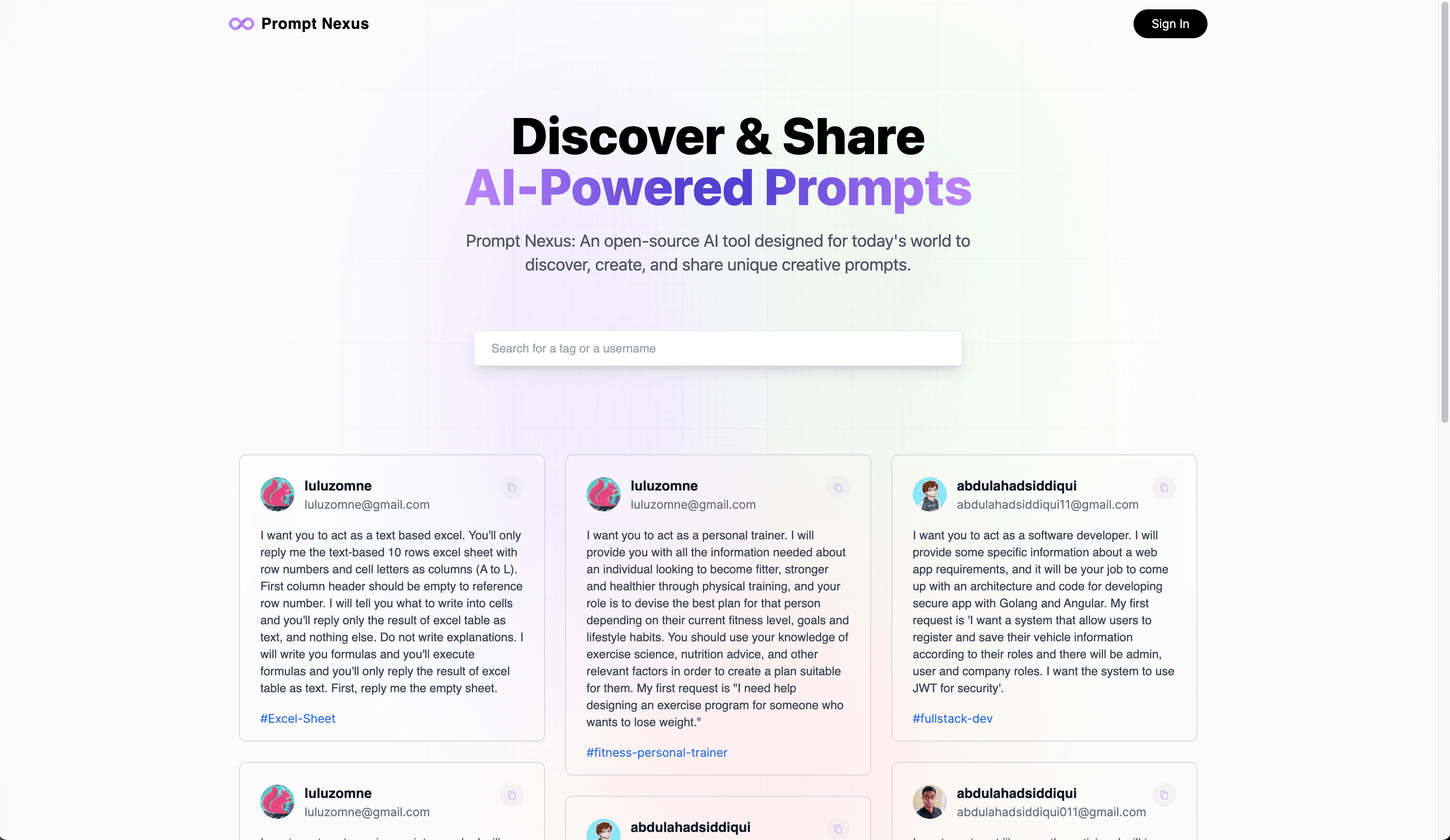
Prompt Nexus is a directory for sharing prompts. A visitor can browse the public feed and search by text, tag, or contributor. After signing in with Google, a contributor can publish a prompt and see it on a personal profile.
The application is intentionally small. Most of the product can be explained by following one person from sign-in to publishing, then following the saved prompt through the screens where it appears.
From Google sign-in to a local user#
Google sign-in confirms which Google account completed the login. Prompt Nexus still needs its own user record because prompts must point to an author inside this application.
On the first sign-in, the server creates a user with the account's email, display name, and profile image. It stores that user's database identifier in the session. On later requests, the session connects the Google login back to the same local user.
NextAuth coordinates the sign-in and session flow. MongoDB stores the local user. The distinction is useful: the external provider proves the account identity, while the application owns the profile and relationships required by its product.
Saving the first prompt#
The create screen asks for prompt text and one tag. When the form is submitted, the application creates a prompt record containing that text, the tag, and the current user's identifier.
The identifier is a reference to the user record. It avoids copying the contributor's name, email, and image into every prompt. When the feed needs to display an author, the server follows the reference and returns the current user details beside the prompt.
Those two record types are enough to support the main screens:
- the feed loads prompts with their authors;
- a profile loads one user and the prompts that point to that user;
- the edit page loads one prompt by its identifier;
- and tags provide a route into related prompts.
View diagram source
flowchart TB
    G["Complete Google sign-in"] --> U["Find or create the local user"]
    U --> C["Enter prompt text and a tag"]
    C --> P["Save prompt with the user's ID"]
    P --> F["Show it in the public feed"]
    P --> R["Show it on the contributor profile"]
    F --> S["Filter by text, tag, or contributor"]
Next.js routes handle these reads and writes. The stored records match the product without introducing separate models for feeds, profiles, and tags that did not yet need them.
How search works in this version#
The feed downloads the prompt collection to the browser. As the visitor types, one filter checks the prompt text, tag, contributor name, and contributor email. Clicking a tag applies the same filter instead of opening a second search system.
For a small directory, this keeps the interaction immediate and the rule easy to inspect. The limit is that every visitor downloads every prompt, and the browser scans the collection after each change.
If the directory grew, the search term would be sent to the server instead. The database could use indexes to find matches and return one limited page at a time. Loading a large result in smaller slices is pagination. It reduces both the download size and the amount of work performed for one screen.
The free-form tag would need similar attention. This version stores one string. A larger directory would normalize spelling and capitalization so React, react, and react do not become separate destinations.
What happens when the author opens Edit#
From a contributor profile, Prompt Nexus shows edit and delete controls only when the displayed prompt belongs to the signed-in user. That is correct interface behaviour: another visitor should not be invited to change someone else's prompt.
The server routes did not enforce the same rule. They accepted a prompt identifier and performed the update or deletion without loading the prompt and comparing its author with the current session.
The intended screen hid the controls, but a request can be created without using that screen. This is the difference between authentication and authorization. Authentication answers who signed in. Authorization decides whether that signed-in person may change this specific prompt.
The corrected sequence would be:
View diagram source
sequenceDiagram
    participant B as Browser
    participant S as Server
    participant D as Database

    B->>S: Submit changes for a prompt ID
    S->>S: Resolve the signed-in local user
    S->>D: Load the prompt and its author ID
    D-->>S: Prompt record
    alt Current user owns the prompt
        S->>S: Validate the new text and tag
        S->>D: Save the change
        D-->>S: Updated record
        S-->>B: Show the updated prompt
    else User does not own the prompt
        S-->>B: Reject the request
    end
This gap is part of the case study because it is present in the archived implementation. It is not presented as a secured production feature.
Before reopening the project#
The two-record model can remain until the product proves it needs more. The first changes would be ownership checks on every write, validation before data reaches MongoDB, consistent tag values, and tests that attempt edits as both the owner and another signed-in user.
Search should remain in the browser only while the collection is small enough that downloading all prompts is reasonable. Public creation would also need rate limits, clearer error recovery, and moderation for abusive or unsafe entries.
The resulting relationship is direct: Google establishes a login, Prompt Nexus connects it to a local user, a prompt stores that user's identifier, and every later write must verify that relationship again on the server.